Word DOC to PDF3.0
Publisher Description
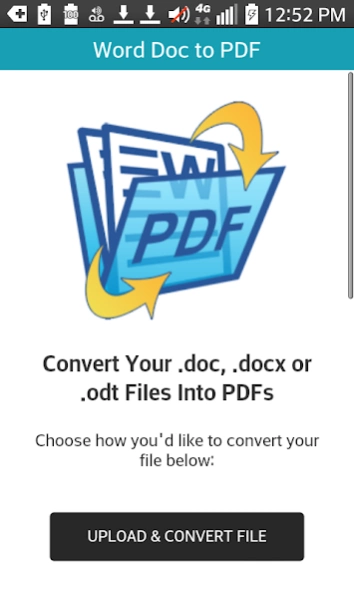
Convert Word DOC, DOCX & Open Document ODT files to PDF format files.
Word DOC to PDF provides a way to convert Word or Open Document format files; DOC, DOCX and ODT files to PDF files.
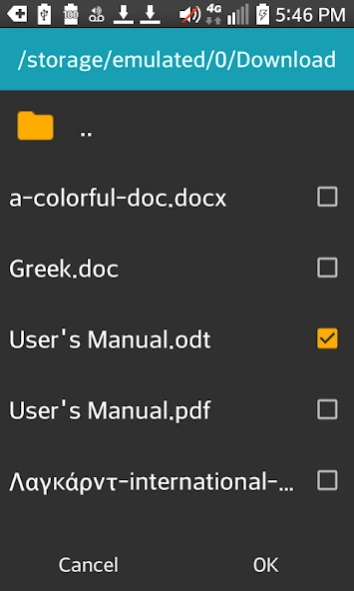
When converting your files you can choose whether to upload your documents from your external SD card or internal emulated SD card by browsing and selecting the file using the built in file browser, or by grabbing the file from your Dropbox.
Instructions:
1) Install and open the Word DOC to PDF converter app and choose whether you'd like to "Upload & Convert File" or "Convert a Dropbox File".
2) Select a file which has a .doc, .docx or .odt file extension.
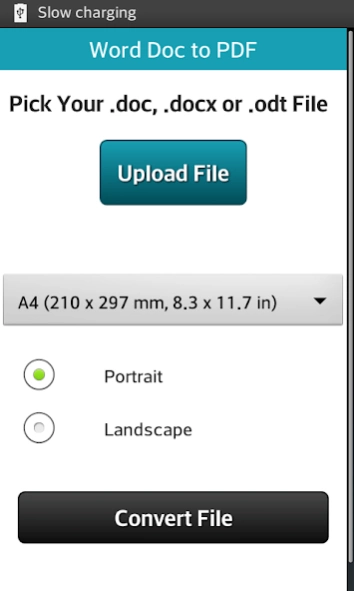
3) Choose the page orientation (portrait or landscape).
4) Choose a page size:
A4 (210 x 297 mm, 8.3 x 11.7 in)
A3 (297 x 420 mm, 11.7 x 16.5 in)
A5 (148 x 210 mm, 5.8 x 8.3 in)
Legal (215 x 355 mm, 8.5 x 14.0 in)
Letter (215 x 279 mm, 8.5 x 11.0 in)
Tabloid (279 x 431 mm, 11 x 17 in)
5) Click the "Convert File" button.
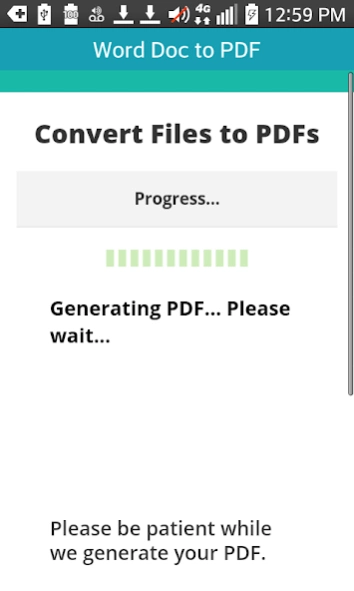
Once the PDF file has been generated, you'll have the option to download the PDF to your phone or tablet, or save it to your Dropbox account.
Support for many different languages has also been added. The app is currently capable of rendering Arabic, Chinese, Cyrillic, Greek, Hebrew, Hindi, Latin and other alphabets.
About Word DOC to PDF
The company that develops Word DOC to PDF is OT Apps. The latest version released by its developer is 3.0.
To install Word DOC to PDF on your Android device, just click the green Continue To App button above to start the installation process. The app is listed on our website since 2019-02-23 and was downloaded 8 times. We have already checked if the download link is safe, however for your own protection we recommend that you scan the downloaded app with your antivirus. Your antivirus may detect the Word DOC to PDF as malware as malware if the download link to org.topdf.worddoctopdf is broken.
How to install Word DOC to PDF on your Android device:
- Click on the Continue To App button on our website. This will redirect you to Google Play.
- Once the Word DOC to PDF is shown in the Google Play listing of your Android device, you can start its download and installation. Tap on the Install button located below the search bar and to the right of the app icon.
- A pop-up window with the permissions required by Word DOC to PDF will be shown. Click on Accept to continue the process.
- Word DOC to PDF will be downloaded onto your device, displaying a progress. Once the download completes, the installation will start and you'll get a notification after the installation is finished.
Program Details
System requirements
Download information
Pricing
Version History
version 3.0
posted on 2019-02-23
Greatly improved functionality and stability.
version 2.9
posted on 2017-05-17
Version 2.1:
Ability to use Android's built in browser on Android version 4.4 (KitKat) and up. This built in browser allows you to convert .doc, .docx or .odt files which are located in your device or in your cloud storage apps. Note that the cloud storage app must provide sharing with other apps for this to work.
Added the option of moving the app to your SD card.
Added support for Android 6.0 aka Marshmallow.
Version 2.7:
Updated to work on Android N. Optimized code.
Version 2.8:
Bug fix.
